Features Pricing Free Downloader Blog Get Started Free

Your Pinterest boards,
backed up forever.

Download and save your boards, sections, pins, and entire profiles. Export as PDF moodboards, HTML, CSV, and more.

Satisfaction guaranteed
4,218 boards backed up this week
Encrypted storage No Pinterest login needed Download & delete anytime
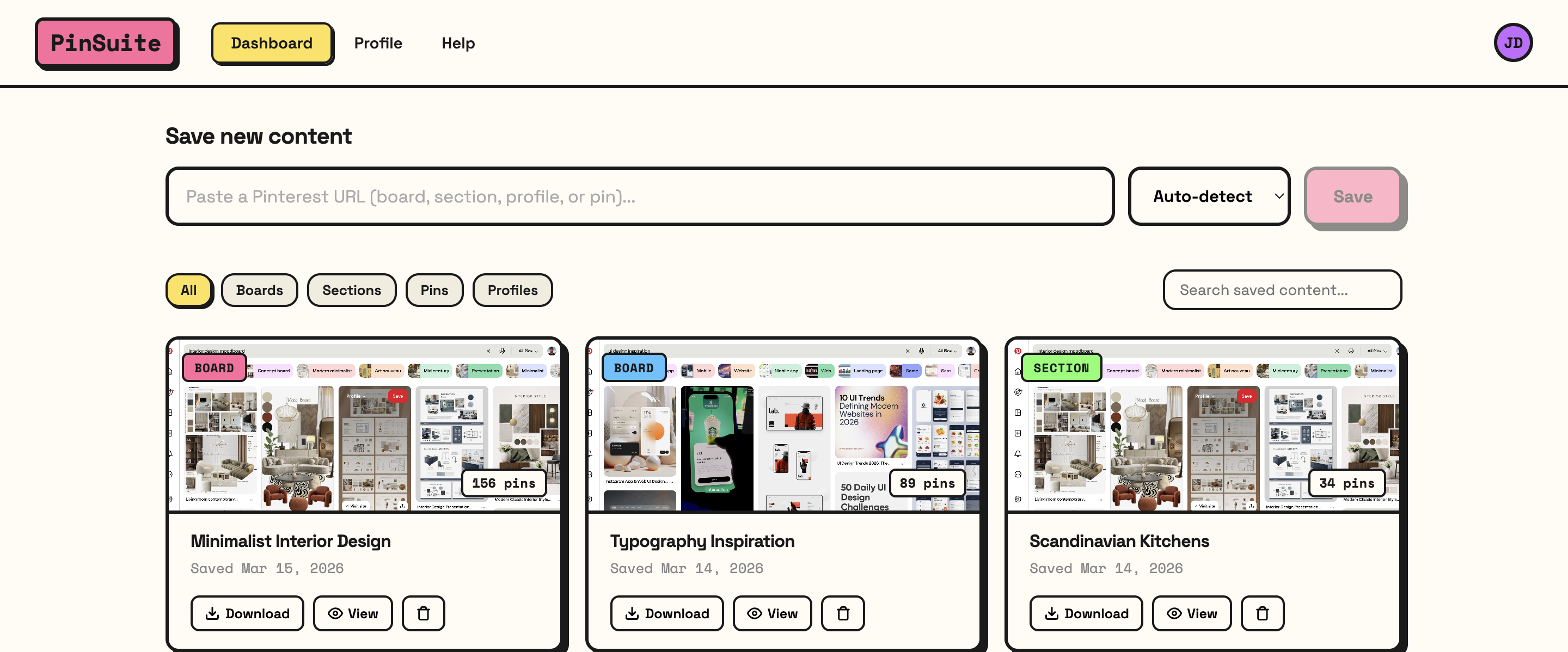
app.pinsuite.com/dashboard
PinSuite Dashboard
JD
★★★★★

"Saved 200+ boards before deleting my account. The PDF moodboards are so clean I send them directly to clients."

Jessica Donovan
Interior Designer, Studio Blanc
👍 Full Board Downloads 👍 PDF Moodboards 👍 HTML Archives 👍 CSV Export 👍 Bulk Operations 👍 No Pinterest Login 👍 Encrypted Storage 👍 Satisfaction Guaranteed 👍 Full Board Downloads 👍 PDF Moodboards 👍 HTML Archives 👍 CSV Export 👍 Bulk Operations 👍 No Pinterest Login 👍 Encrypted Storage 👍 Satisfaction Guaranteed

See what your exports look like.

Four professional formats, each designed for a different workflow.

Most Popular

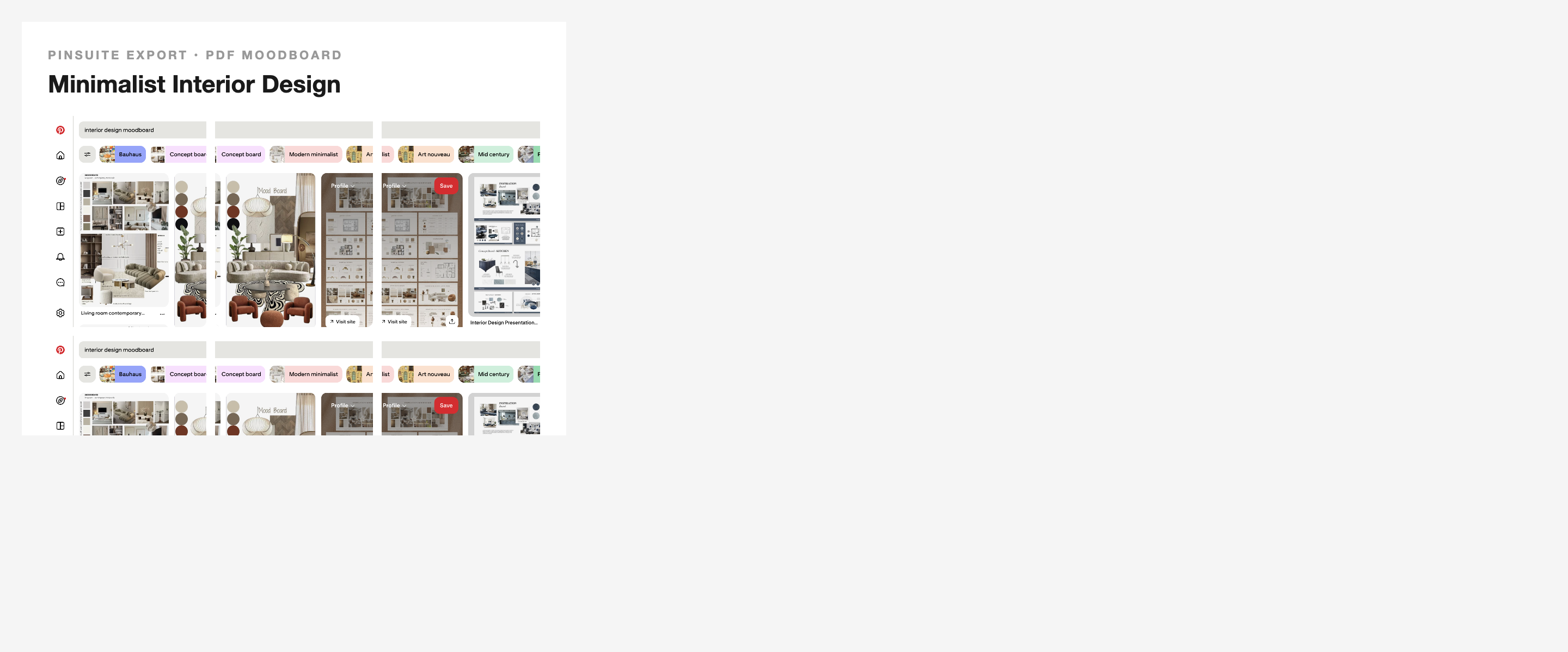
PDF Moodboard

Print-ready visual layouts of your pins

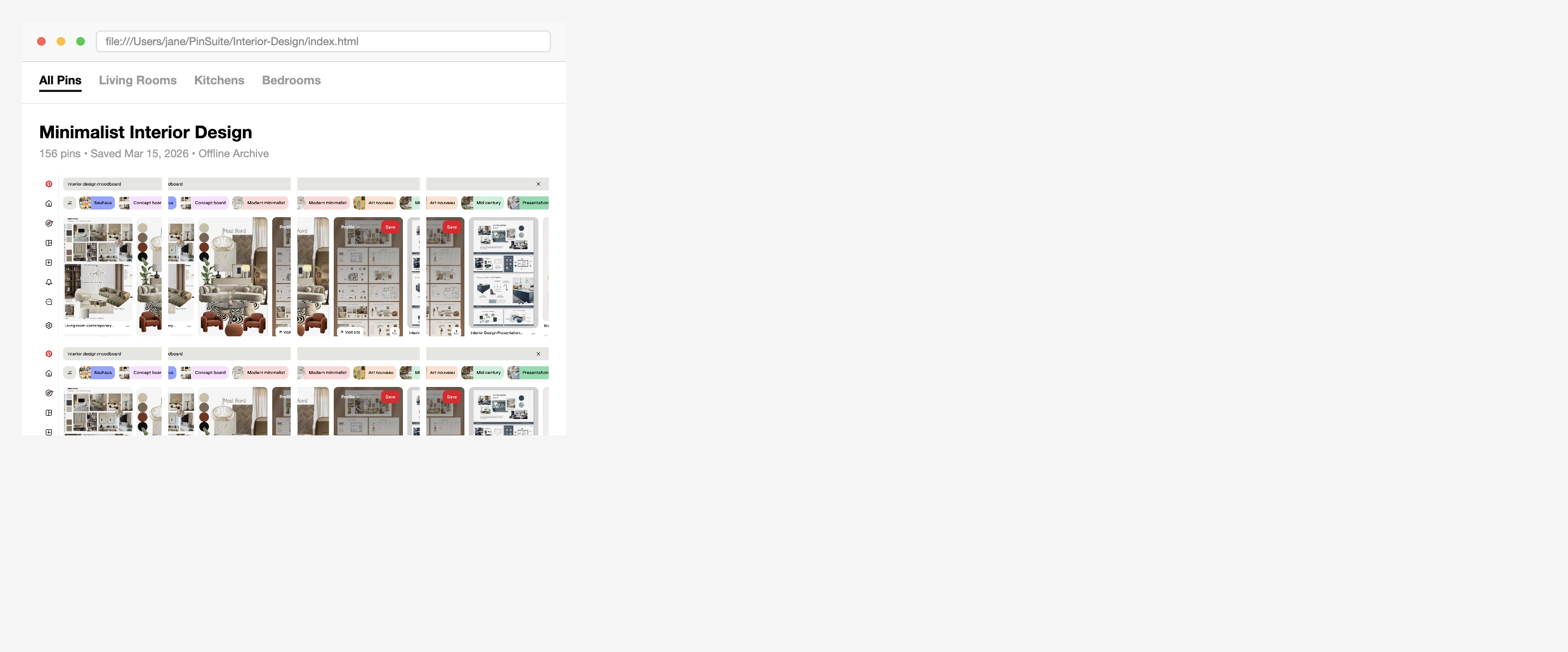
HTML Archive

Browse boards offline like Pinterest

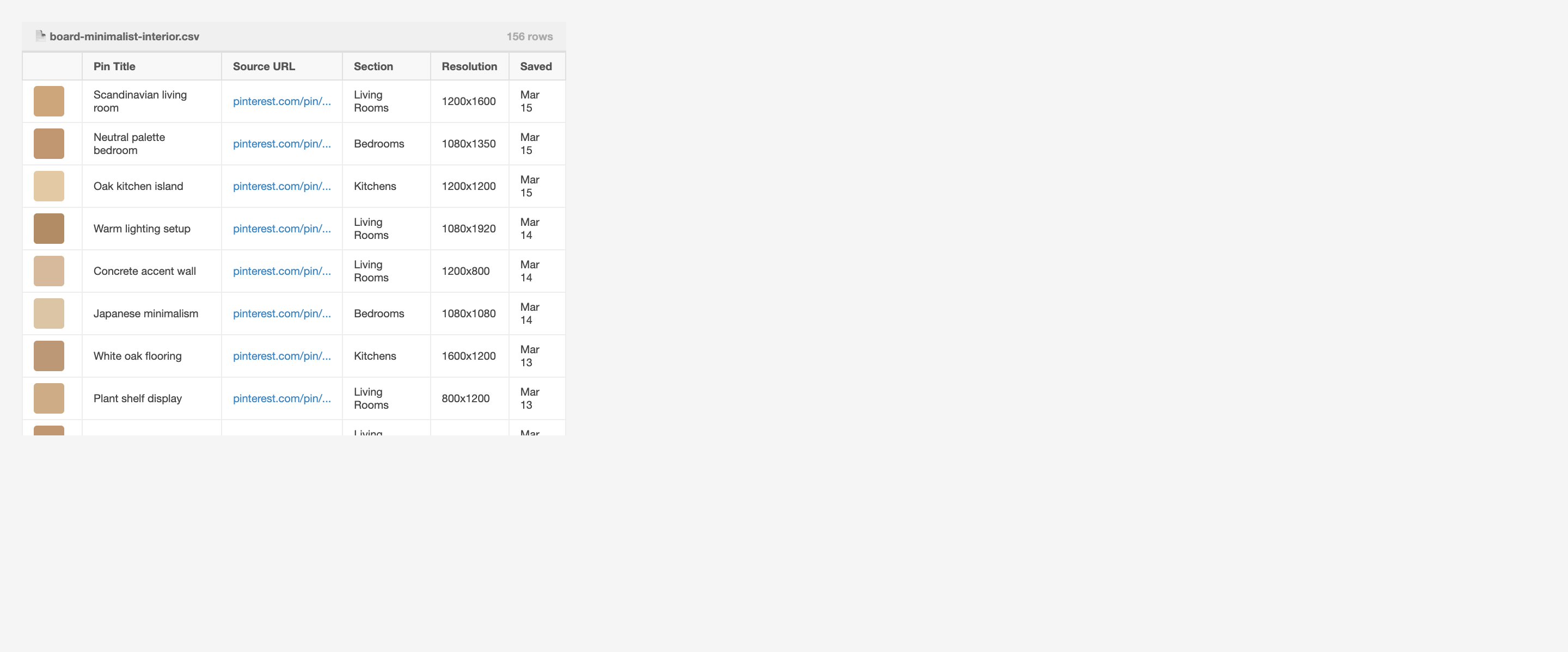
CSV Spreadsheet

Filterable pin metadata table

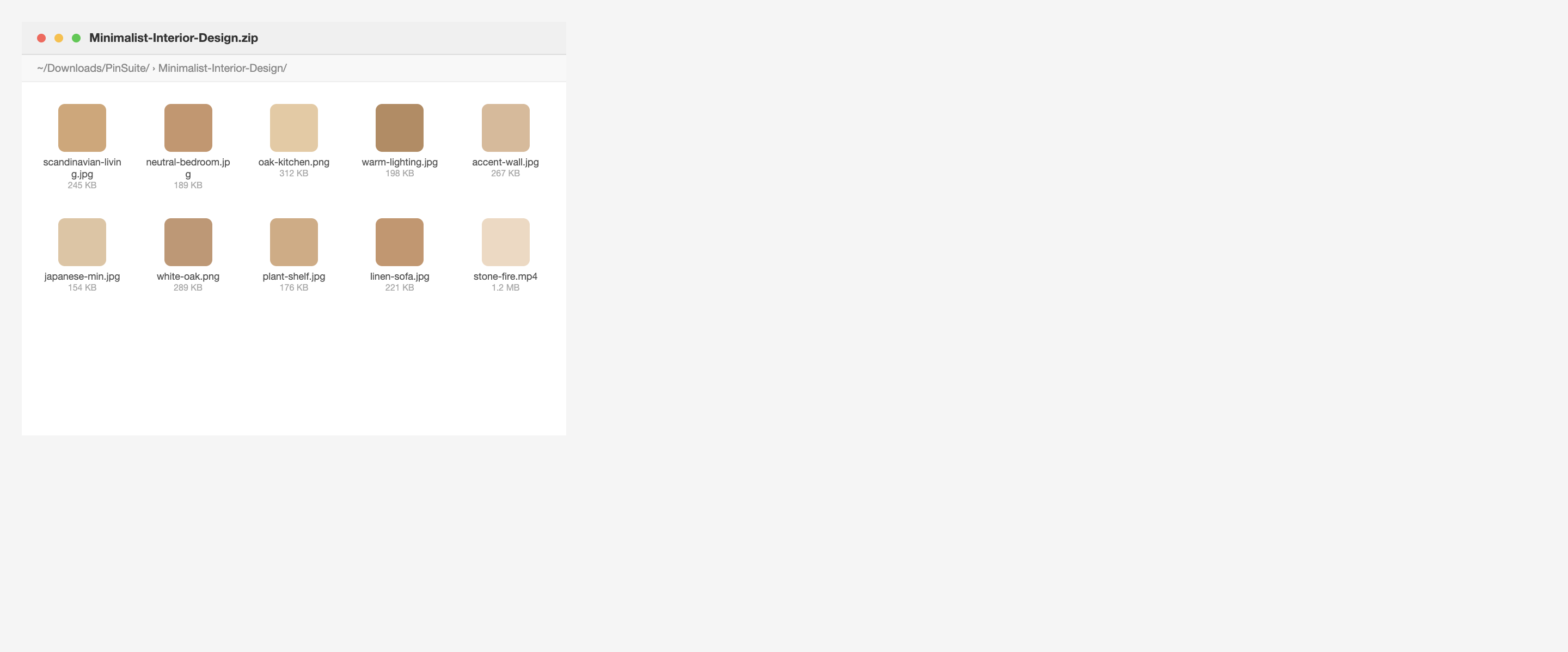
ZIP Download

All images & videos as files

Three steps. That's it.

1

Paste a Pinterest URL

Drop in a link to any public board, section, profile, or pin.

2

We fetch everything

PinSuite grabs all images, videos, descriptions, and metadata automatically.

3

Download your way

Export as PDF moodboard, HTML archive, CSV, or bulk image ZIP.

Everything you need to own your pins.

Pinterest doesn't offer export. PinSuite does.

Full Board Downloads

Save entire boards — all pins, images, descriptions, source links, and metadata — in one click. Works with boards of any size.

4 Export Formats

PDF moodboards, HTML, CSV, or ZIP.

4

Public Content

No Pinterest login needed. Just paste a URL.

🔓

Bulk Operations

Save an entire profile — every board, every section, every pin — in one operation. Hundreds of pins backed up in seconds.

Re-sync

New pins? Re-sync to update your backup.

Encrypted

Your data is yours. Encrypted, downloadable, deletable.

🔒

Simple, honest pricing.

No hidden fees. No per-download limits. No surprises.

Monthly

$14.99
per month, cancel anytime
  • Unlimited board saves
  • All export formats
  • Profile & section backups
  • Bulk operations
  • Priority support
Get Started
Satisfaction guaranteed — no questions asked

What designers are saying.

JD
Jessica Donovan
Interior Designer, Studio Blanc
★★★★★

"Saved my entire portfolio — 200+ boards — before deleting my account. The PDF moodboards are so clean I send them directly to clients."

MR
Marcus Rivera
UI/UX Designer, Freelance
★★★★★

"I have 6 years of design research on Pinterest. PinSuite backed up every single board as searchable CSVs. Worth every penny of the lifetime deal."

SK
Steph Kowalski
Art Director, Ogilvy
★★★★★

"Our team of 12 backed up 50,000 pins in one afternoon. The HTML archive export means we can browse everything offline on set."

Encrypted & secure storage
No Pinterest account access needed
Download & delete anytime
You own your backups, always

Frequently asked questions

Do I need a Pinterest account to use PinSuite?
No. PinSuite works with publicly accessible Pinterest content. You just paste a URL — no Pinterest login or API connection needed. For private/secret boards, our browser extension accesses them directly from your browser while you're logged in.
What export formats are available?
Four formats: PDF Moodboard (print-ready visual layout), HTML Archive (browse offline like Pinterest), CSV Spreadsheet (all pin metadata in a filterable table), and ZIP Download (all images and videos as individual files).
Can I download private or secret boards?
Yes! Install the PinSuite browser extension (Chrome or Firefox), navigate to your private board on Pinterest, and click the extension icon. It downloads directly from your browser session — your board stays private the entire time.
What happens if I cancel my subscription?
Your access continues through the end of your billing period. You can still download all your backed-up content. After your plan expires, your saved data remains accessible for 30 days. Your access continues until the end of your billing period, and you can download all your content.
Is it legal to download Pinterest content?
You can download publicly available content for personal use. Please respect the intellectual property rights of original content creators. Don't redistribute or commercially exploit downloaded content without permission from the rights holder.
What's the difference between Monthly and Lifetime?
Both plans include all features. Monthly is $14.99/mo and can be cancelled anytime. Lifetime is a one-time $99 payment — you get access to everything forever, including all future updates. 73% of users choose Lifetime.

Stop hoping Pinterest never changes.
Start owning your content.

Join 12,000+ designers and creators who've already backed up their boards. Start free, no credit card required.

Get Started — It's Free
Satisfaction guaranteed
No credit card required to start Cancel anytime